Floorp v12.18.0 is now available.
This release introduces a redesigned Floorp Hub and first-run setup. It also adds an experimental feature that attempts to reduce memory usage while the browser is idle, along with new preferences for choosing how release notes open after an update.
Floorp's Firefox base has been updated to version 156.0.1.
Download Floorp
GitHub Releases
✨ Highlights
Redesigned Floorp Hub and first-run setup
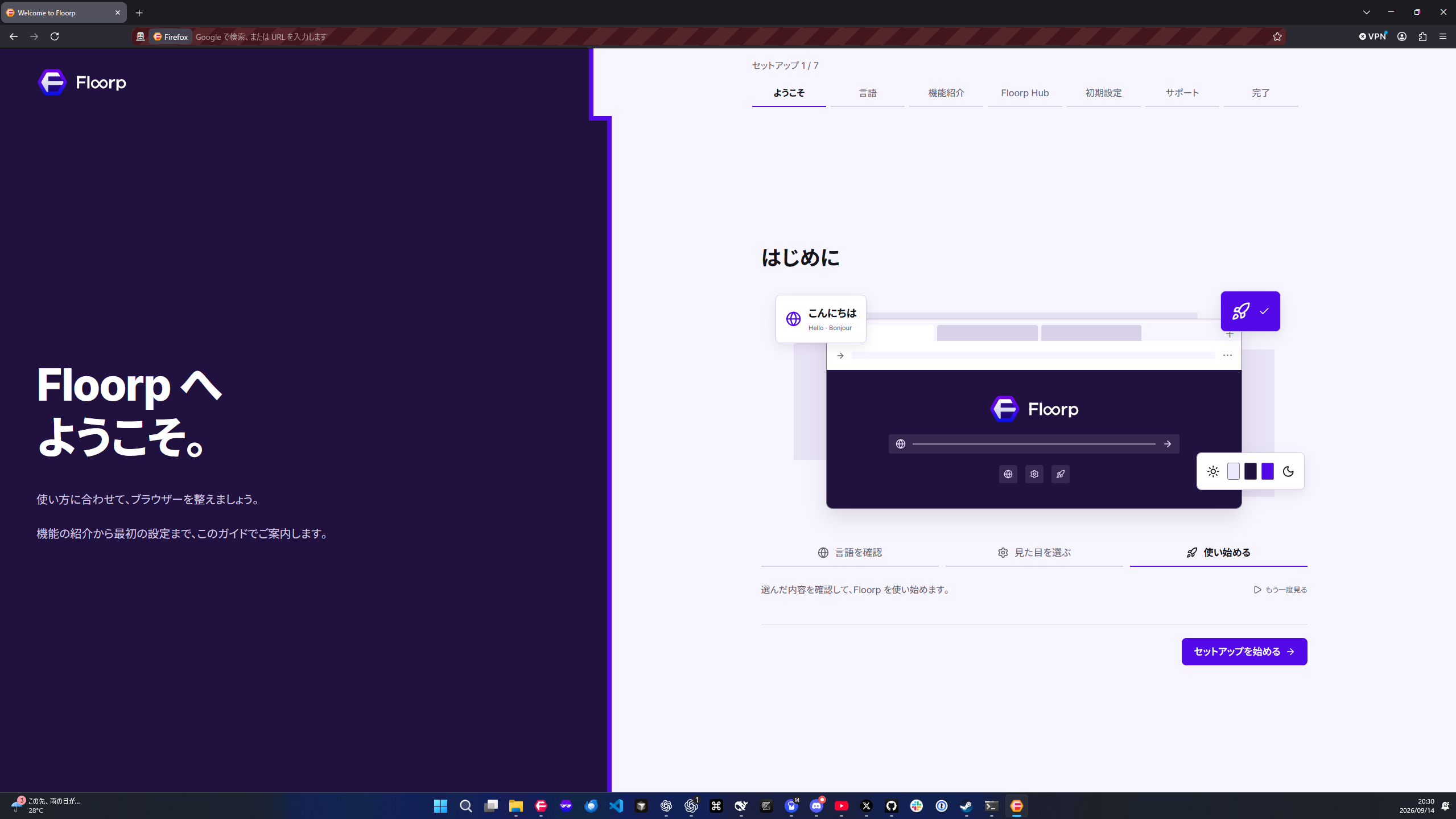
Floorp Hub and the setup experience shown on first launch have been redesigned.
Settings now use a consistent layout and set of controls, with responsive light and dark interfaces for different screen sizes. We also improved settings search, error messages when saving, and the handling of unsaved changes.
The new first-run setup guides you through language, key Floorp features, Floorp Hub, theme and search-engine choices, and release-note preferences. It also includes interactive demonstrations of features such as Workspaces and Web Panels.
Idle memory reclaim
We added an experimental feature that attempts to reclaim memory after a period without keyboard or mouse input.
This feature is disabled by default. To use it, go to Performance → Idle memory reclaim in Floorp Hub. You can configure the idle time before reclamation, the minimum interval between runs, and the memory-usage threshold.
The amount of memory reclaimed depends on the pages you have open and how they are being used. Reclamation can also pause the browser temporarily. Video playback, calls, and screen sharing do not prevent it from running, so choose settings that suit your environment.
Note: While playing video or music, Floorp may still consider the browser idle when you are not interacting with it. In some situations, this may interrupt audio or increase CPU usage.
Choose how release notes open
You can now choose how Floorp opens release notes after an update. Go to Updates & Experiments → Release notes after updates in Floorp Hub and select one of the following options:
- Do not open automatically
- Open with my blocker settings
- Open and allow ads to support Floorp
When you choose the support option, Floorp restricts uBlock Origin, AdGuard, Adblock Plus, AdBlock, and Ghostery on the Floorp blog. This can affect tracking protection and custom filters provided by those extensions as well as ad blocking.
Existing profiles keep their current behavior until a choice is explicitly saved. New profiles initially show the support option as selected, but it does not take effect until the first-run setup is completed.
For details about the purpose, scope, and how to change this setting, please read Floorp's updated terms and the project's future.
⬆️ Updated to Firefox 156.0.1
Floorp's Firefox base has been updated to version 156.0.1. This release also includes the features and changes introduced in Firefox itself.
For changes made in Firefox itself, please see the Firefox release notes.
🛠️ Improvements and bug fixes
- Fixed incorrect ordering of the Firefox sidebar, the Floorp Panel Sidebar, and page content when both sidebars were used together.
- Unified Split View actions into a single tab context-menu entry. You can open selected tabs in Split View up to the configured pane limit, with a maximum of four tabs.
- Fixed an issue that prevented opening a URL copied to the clipboard by middle-clicking the New Tab button. On Linux, Floorp can now fall back to the regular clipboard when needed.
- Fixed an issue that could prevent the Double-click to close tabs preference from being saved or loaded correctly. Existing values are migrated automatically.
- Separated the Terms of Service and Privacy Policy links shown during first-run setup.
💖 Contributors
- @kagemorikosame — idle memory reclaim
- @wdsfgd — clipboard URL handling when middle-clicking the New Tab button
- @RAVENz46 — Double-click to close tabs preference fix
Thank you to all the developers, users, and contributors who helped with this release.
📱 Floorp for iOS public beta
The Floorp for iOS public beta is available on TestFlight. If you have an iPhone or iPad, please try it and share your feedback with us.
Join Floorp for iOS on TestFlight
Learn how to join and what to know before testing
Please report bugs and suggest features through Floorp's GitHub Issues.