

Floorp v12.15.0 Release Notes
Release notes tell you what's new in Floorp.
Your feedback The Floorp Projects welcomes. You can submit bug report and new feature code on GitHub, and check the Floorp of source code used for this release.
We would like to express our special thanks to all the developers, users, and contributors who contributed to this release.
⭐️ New Features
Command Palette gets even more powerful
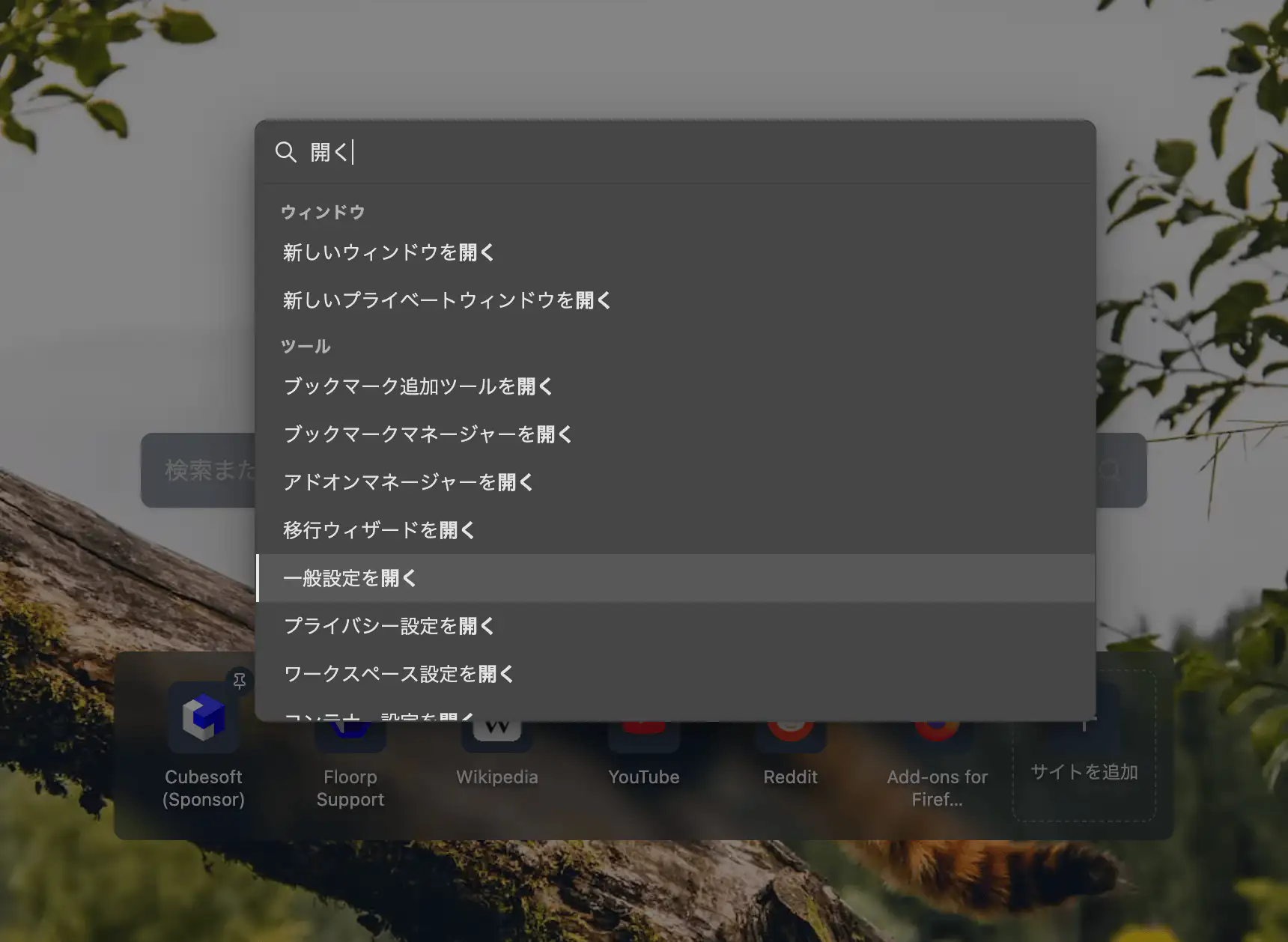
The Command Palette introduced in v12.14.0 gains major search and action improvements in v12.15.0. Press F2 (default) to open the palette and type a keyword to jump to any action.
Multi-step wizard commands
Complex actions that require multiple inputs are now guided step by step:
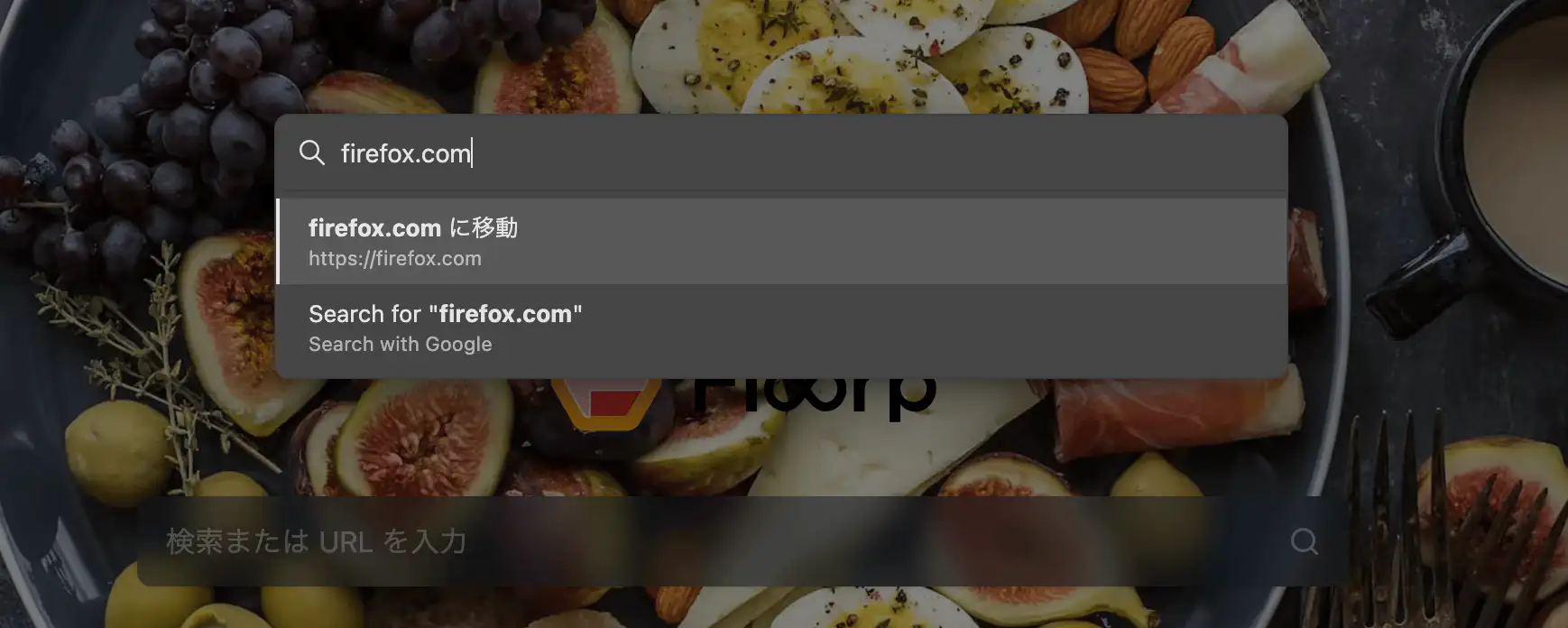
- Open URL — Enter a URL and choose where to open it (new tab, current tab, new window, etc.).
- Search Web — Pick a search engine, then enter your query.
- Reopen in Container — Select from your registered containers to reopen the current tab.
New switchers
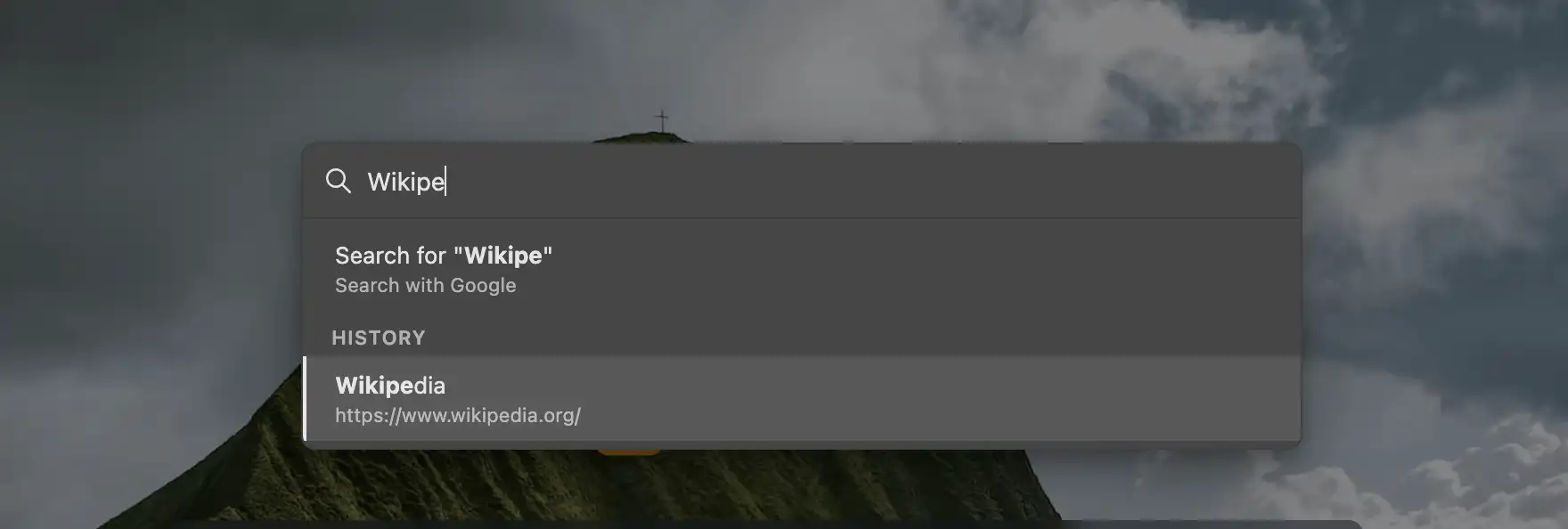
Quickly jump to history entries, bookmarks, open tabs, recently closed tabs, and recently closed windows — all from the palette. History and bookmark results support async search with pagination (load more).
Tab management commands
Tab bar actions can now be performed from the Command Palette:
- Close Other Tabs
- Close Tabs to Start / End (supports vertical tab orientation)
Improved search — especially for Japanese
- Budoux morphological analysis — splits Japanese, Chinese, and Thai command labels into meaningful segments (e.g., "タブ閉じる" → "タブ" + "閉じる")
- English keyword search — type "bookmark" in Japanese locale to find bookmark-related commands
New mouse gesture actions
- Open Settings / Open Floorp Hub
- Toggle Share Mode
- Copy page URL as Markdown
Thanks: @Walkmana-25, @CutterKnife
Drag and drop tabs into Split View
Dragging a tab onto the split view area shows a drop overlay indicating where the tab will land.
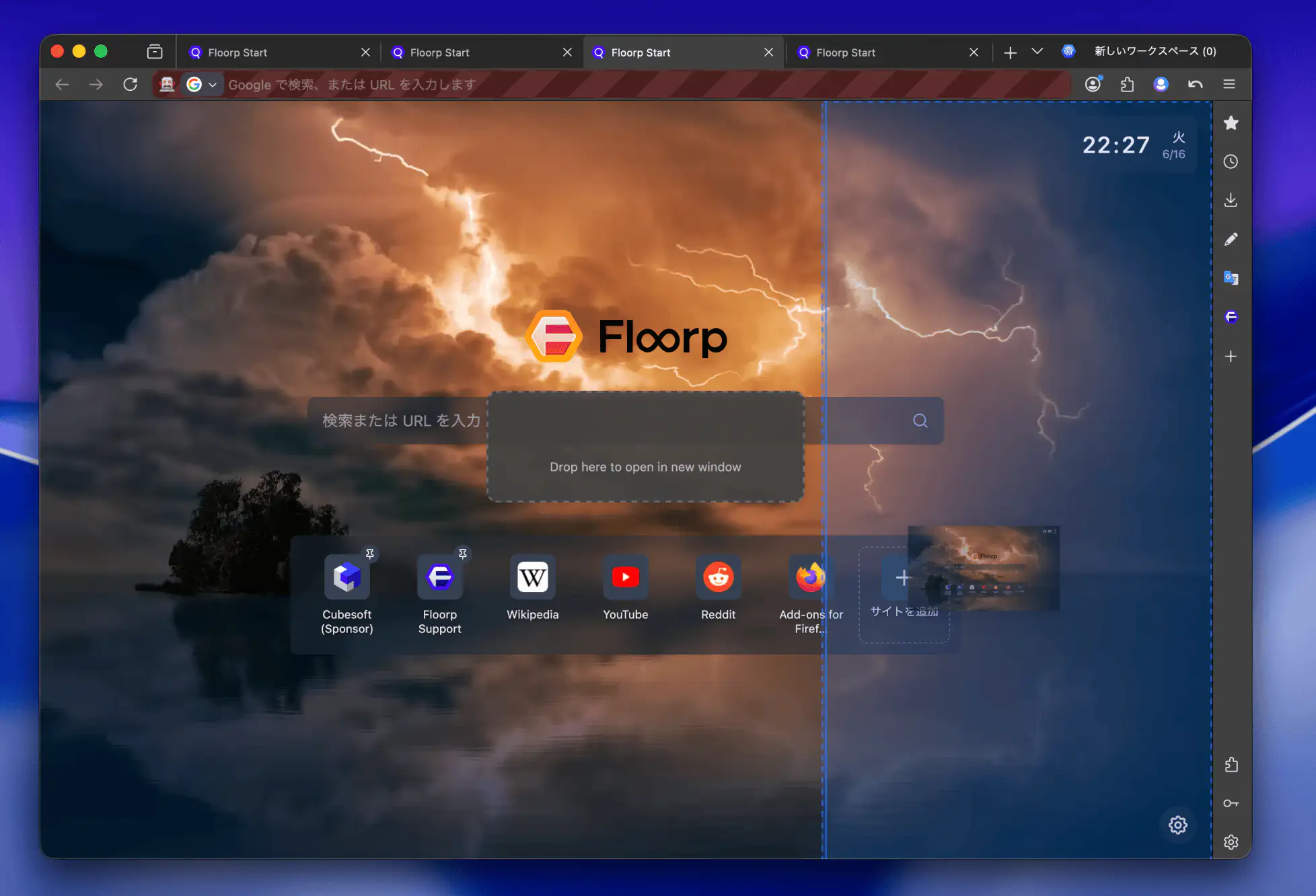
| Drop zone | Action |
|---|---|
| Left / Right | Horizontal split |
| Top / Bottom | Vertical split |
| Center | Add as a new pane |
| New window | Open in a separate window |
Mouse gesture commands for split view operations (open/close panes, swap, cycle layout, etc.) have also been added.
Refined Floorp Start and Hub appearance
Top site tiles on Floorp Start and sidebar items in Floorp Hub have been visually refined — improved hover visibility and tighter spacing between clickable Hub items.
For a deeper look at Floorp Start, see our Floorp Start feature spotlight.
Thanks: @CutterKnife
macOS shortcut editor improvements
On macOS, modifier keys (⌘, ⌥, etc.) are now displayed with platform-native formatting in the shortcut editor.
Thanks: @Walkmana-25
🧪 Floorp Flasco
- Assign containers to Progressive Web Apps is now available in Floorp Flasco.
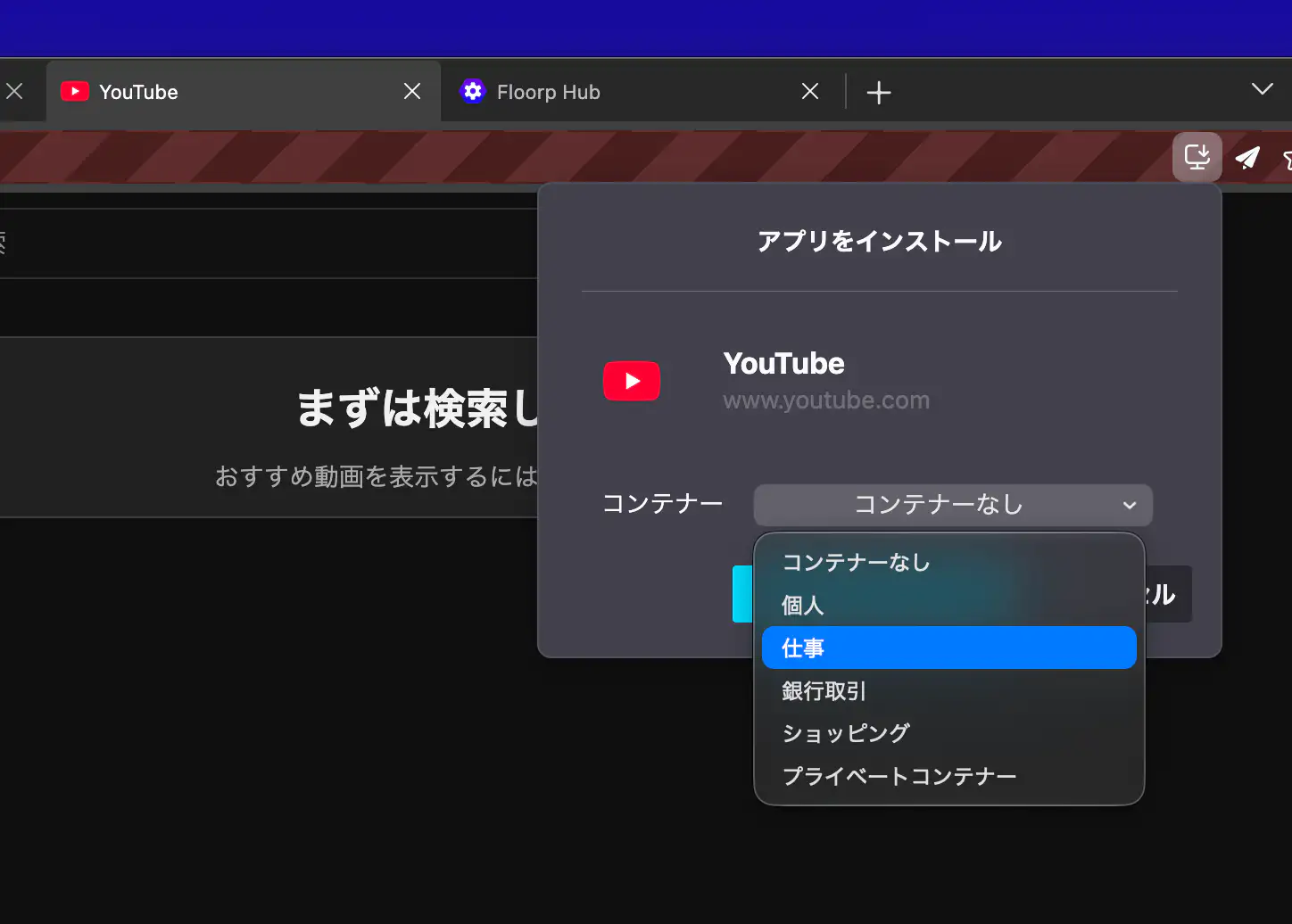
When this feature is enabled, you can choose which container to assign when installing a web app.
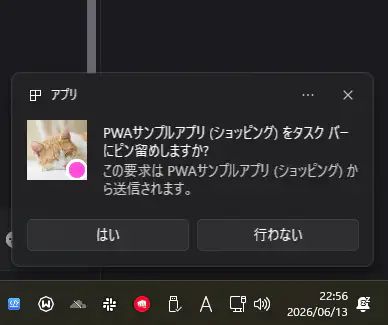
It also supports opening multiple containers, so you can run a container-based PWA separately from a regular PWA that uses the default container. In other words, you can open the same website as separate PWAs — one per container.
This is an experimental feature and is planned to move to the stable channel in a future release.
🔄 Changes
- Minor interface adjustments have been made to align Floorp with the Firefox Nova design.
⚠️ Bug Fixes
- Restored keyboard shortcuts for Hide Interface, Toggle Navigation Panel, and Rest Mode that stopped working since Floorp 12.
- Fixed the Unified Extensions panel closing immediately when the navbar is positioned at the bottom.
- Fixed workspace system overriding SessionStore's tab selection on startup when pinned tabs exist.
- Fixed multi-row tabs disappearing when a sidebar web panel opens a website.
- Fixed the first page of a Private Container tab being saved to browsing history.
- Fixed the browser closing unexpectedly when performing a "Reopen in Container" operation with only one container tab open.
- Fixed an Invalid Hook Call error when reordering items in page settings (Start / Hub).
- Fixed search engine configuration in the welcome wizard on Firefox 151+.
- Fixed a broken link to Floorp Docs in settings.
- Fixed the search icon appearing near the center of the window when the navbar is positioned at the bottom.